Built for · the whole post workflow
From the card to the master, without changing tools.
A film moves through hands: dailies to the editor, cuts to the client, footage to color, stems from sound, masters to everyone. Most filmmakers stitch that journey across four apps and a shelf of drives. This runs the whole arc through one project, built by a filmmaker who ships this way, not a software company guessing at it.
4 things that go wrong
Where post workflows break, and how this fixes it
The friction
The project scatters across tools
The cut lives in a review app, the dailies on a drive, the masters in a cloud folder. Six months later, nobody remembers which link held what.
What this does instead
One project holds the review links, the transfers, the receive links, and the master delivery. When the client emails next year, everything is one login away.
The friction
Folder structure dies in transit
Days, cards, rolls: camera-card organization flattens the moment it passes through a browser download or a zip. The editor rebuilds it by hand.
What this does instead
Structure survives end to end: what you upload is the tree the recipient sees in the browser and, through the free Mac app, the tree that lands on their disk. Days stay days, cards stay cards.
The friction
Notes live everywhere except the timeline
Client feedback arrives as texts, emails, and a screenshot with an arrow drawn on it. You retype timecodes into markers by hand.
What this does instead
Clients comment on timecode on the review link, and the free Resolve app pulls those comments onto your timeline as markers. Address the note, render, and the new version uploads to the same link.
The friction
Delivery is where trust leaks
The biggest files of the job go out through the jankiest path: an expiring link, a 'request access' wall, or a drive in the mail.
What this does instead
Masters get a permanent, password-protectable delivery link under your name. You're emailed when downloading starts, and the CSV manifest proves every file arrived.
The arc of a film
One project, camera to master
- 01
Offload and send dailies
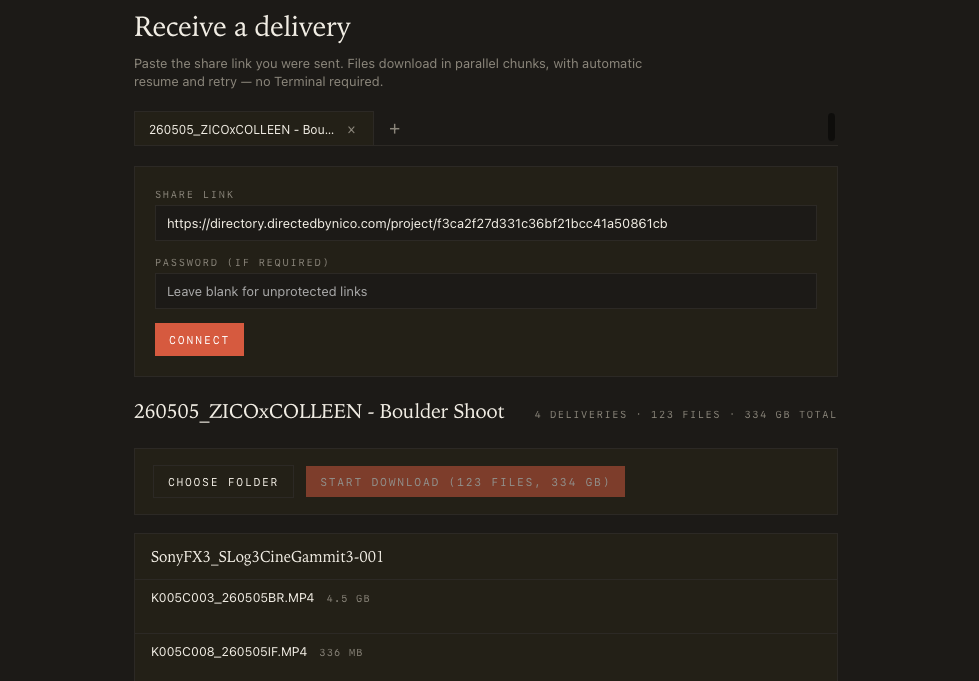
Drop the camera-card folder on the Mac app. It uploads in parallel chunks with auto-resume. The 100 GB day goes up overnight while you sleep, structure intact.
- 02
Sync the project across machines
Project Sync keeps one project tree on every machine that matters: yours, the editor's, the second bay. A file anyone adds lands everywhere within minutes.
- 03
Review cuts with the client
A private review link, comments on timecode, threads with replies and reactions. Versions stack on the same link, and every cut can be transcribed automatically: read along, export .srt or text for captions and paper edits.
- 04
Round-trip color and sound
Transfer links carry footage out (7 days, extendable); receive links bring grades and mixes back. No account needed on their side, folders intact both directions.
- 05
Publish by dropping a file
Flag your exports folder for review and your masters folder for delivery. Export into it from any NLE: Premiere, Final Cut, Avid, Resolve. The app waits until the render finishes writing, then uploads it on its own. It shows up on the client's link without you touching a browser.
- 06
Deliver and archive
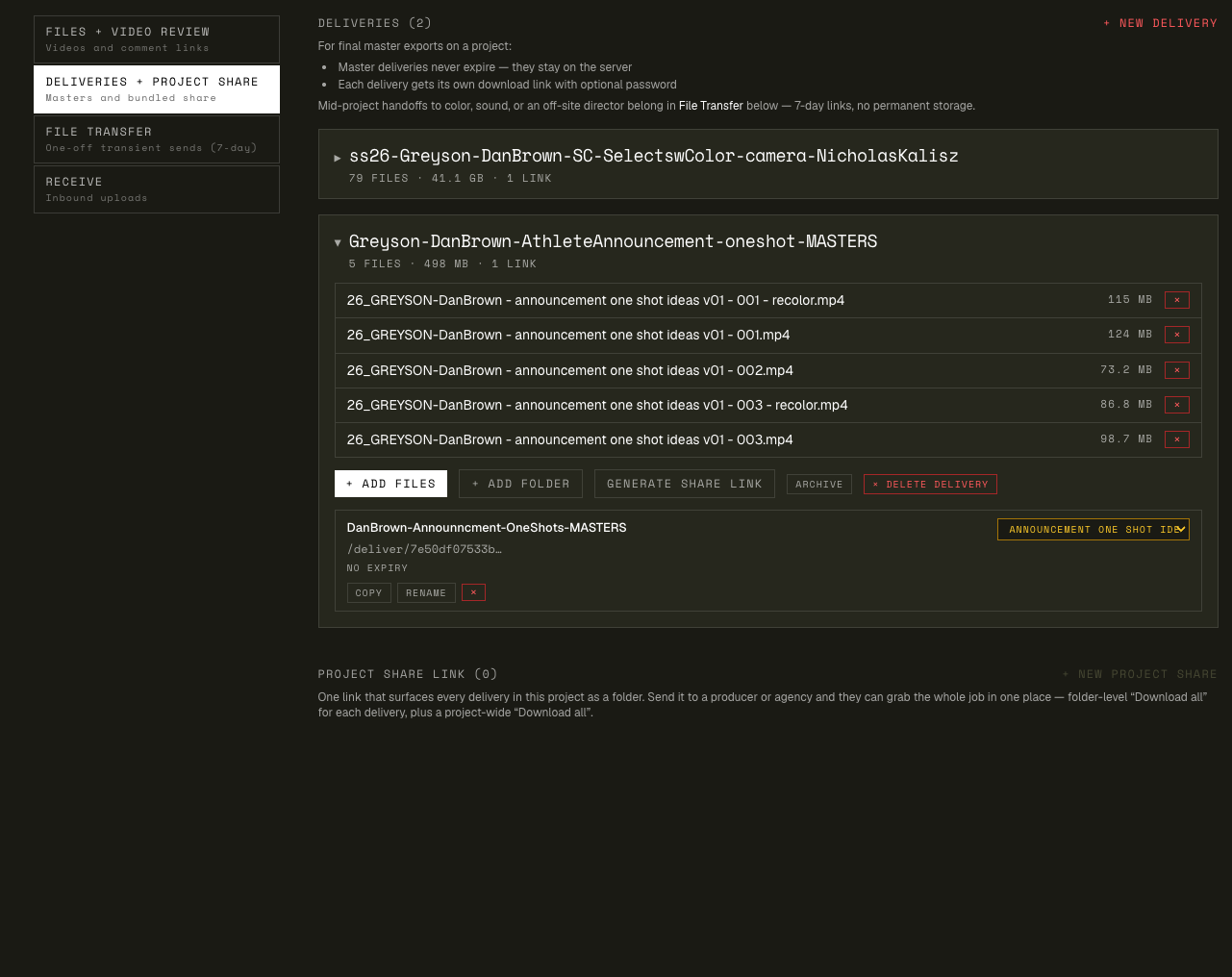
The master delivery link holds the whole project's finals: nested folders, original quality, no expiry while you're subscribed. Next year's re-license request is a re-share, not a re-upload.
The two ends of the pipeline
Dailies in, masters out
Left: the desktop app carrying a camera-card offload up in the background. Right: the client-facing master delivery. The same folder structure, months later, one link.
Questions filmmakers ask
Frequently asked
Does it touch my files? Transcode, compress, anything?
Transfers and deliveries pass through bit-identical: ProRes, RAW, DPX/EXR sequences, whatever you send is what arrives. Review videos are additionally encoded for streaming playback (that's what the review player runs on), but the file you uploaded stays the file.
Can my editor and I work out of the same project folder?
Yes. That's Project Sync. Everyone points the free Mac app at the same project, and files anyone adds flow to every machine, folder structure intact, uploads resuming through dropped Wi-Fi. Local edits win over cloud copies, and only the folder's owner can delete.
What are magic folders?
A synced folder you flag for a job. Flag the exports folder for review: drop a cut in it and the cut appears on the client's review link, encoded and ready for timecode comments. Flag the masters folder: anything you put there lands on the project's master delivery link. Right-click a folder to flag it, in the app or on the site.
How do clients leave feedback?
They open the review link, no account needed, scrub to a frame, and comment at that timecode. Threads support replies and 👍 reactions, and a reviewer can leave an email to be notified when you reply. On your side, the Resolve app turns the notes into timeline markers.
Does it handle a documentary's worth of footage?
Storage tiers run 500 GB / 1 TB / 2 TB (Solo / Studio / Pro) for what lives in the project permanently, plus a monthly transfer budget (300 GB / 750 GB / 1.2 TB) for what passes through. Review video is metered at 3 / 10 / 25 hours, so a doc's worth of cuts fits on Studio or Pro. Heavy month? Upgrade for the cycle and drop back after.
What happens when a transfer link expires mid-handoff?
Transfer links live 7 days by design: they're for handoffs, not archives. If color hasn't grabbed the files in time, one click extends the link another 7 days without re-uploading; the extension just counts against your monthly transfer budget again.
Who built this?
A working filmmaker. It's the internal workflow of a one-person post house turned into a product, run on real deliveries for clients like the ones on your own slate. The features exist because a shoot needed them, not because a roadmap did.
Run a real project through it
3-day trial. Take one project from dailies to delivery.
The test isn't the feature list: it's whether the project feels like one thing instead of five.