chimping.io
The apps
Three Mac apps. Signed and notarized, free to install, built for people who move footage for a living.
The chimping.io app
Send it. Sync it. Run post.
Transfers that resume themselves, folders that land exactly as sent, review, sync, and delivery. One app, both sides of the job.
Apple Silicon · macOS 11+ · ~30 MB
Free · no account to receive · signed and notarized
Sent a download link? This is the app: install it, paste your link, download or upload to share link.
Chimping Offload and Index
Offload cards. Catalog drives.
Checksum-verified offloads with ASC MHL paperwork, and a searchable catalog of every drive on the shelf. Works entirely offline.
Apple Silicon · macOS 11+ · ~30 MB
Included with paid plans · signed and notarized
Chimping Migrate
Leaving Frame.io?
A one-time app that moves your library over: originals to Deliveries, cuts to Review. Run it once, delete it.
One-time tool · free with a plan
chimping.io
- ·Parallel transfers that resume on their own.
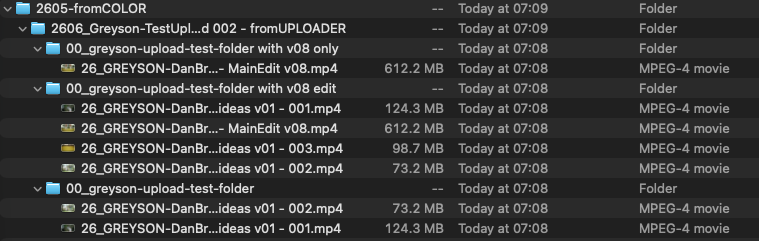
- ·Folders land as sent. No zip, no flattening.
- ·Review, Project Sync, Resolve, delivery.
Offload and Index
- ·Two destinations in one read pass.
- ·Checksums and ASC MHL per card.
- ·Search drives sitting on a shelf.
Migrate
- ·Connects to your Frame.io account.
- ·Originals to Deliveries, cuts to Review.
- ·One pass, then you delete it.
Installing
Open the .dmg, drag the app to Applications, double-click. No warnings: every build is signed with an Apple Developer ID and notarized. Updates arrive on launch and ask first.
System requirements
macOS 11 or later on Apple Silicon. Intel Mac and Windows builds are in progress.
Trouble?
Email nicholas@directedbynico.com with a screenshot if anything errors out.
Free project folder structure
The numbered folder system fifteen years of productions have run on. The app creates it date-stamped in one click; or download the empty structure and use it anywhere.
Download the folder template (.zip)Frequently asked
Is the chimping.io app free?
Yes. The desktop app is free for anyone. No account, no subscription, no email required. The sender pays for hosting; recipients just download.
Does it work on Intel Mac or Windows?
Not yet. The current build is Apple Silicon only (M1, M2, M3, M4) on macOS 11 or later. Intel Mac and Windows builds are in progress behind code signing.
Will macOS warn me on first launch?
No. The app is signed with an Apple Developer ID and notarized by Apple, so it opens like any other Mac app: drag it to Applications, double-click, done. No Gatekeeper warnings, no right-click-to-open tricks, no Privacy & Security detour.
What does it actually do differently from a browser download?
Parallel chunked downloads that saturate your connection, automatic resume when the Wi-Fi drops or the lid closes, and folder structure preserved on disk exactly as sent: no zip step, no flattening. It also handles password-protected links and multi-delivery bundles, and can keep a link synced so new files download on their own.
Can it keep a shared folder in sync automatically?
Yes, three ways. Recipients can sync a share link to a local folder, and new files download automatically. Senders can point the app at a local folder and have it upload continuously. And a team can share one Project Sync folder across every machine. Local edits always win, and only the folder's owner can delete: removed files land in a 30-day trash.
Does the Mac app preserve folder structure on download?
Yes. Whatever folder hierarchy the sender uploaded lands on your Mac exactly the same: /footage, /audio, /graded/Reel-01, multi-level project folders. The browser flattens nested folders into a single download list; the app respects the original structure. This is the main reason colorists, editors, and finishing artists use the app instead of the browser download. They need /graded and /audio to come back as folders, not as one flat dump in Downloads.
Do I need a chimping.io account to use it?
Not to receive. Downloading and keeping a share link synced both work with just the link the sender gave you: no account, no email. An account is only needed for the sending side: the Upload + Sync mode (watch a local folder, upload continuously) connects to your chimping.io account with a device key.
Is it safe to download?
Yes. The app is signed with an Apple Developer ID and notarized by Apple, which means Apple's automated review has scanned every build before it reaches you. It's open about what it does and where it downloads from (only the share link you paste in). It doesn't track you, doesn't phone home with telemetry, doesn't auto-update without your input.